


[iPhone] I have multiple eSIMs and can't tell which one I purchased.

Since iPhones can store multiple eSIMs, if you keep previously used eSIMs without deleting them, you might lose track of which one is the one you just purchased. In that case, please try the following method.
1: Check the eSIM Name if you set it during activation.
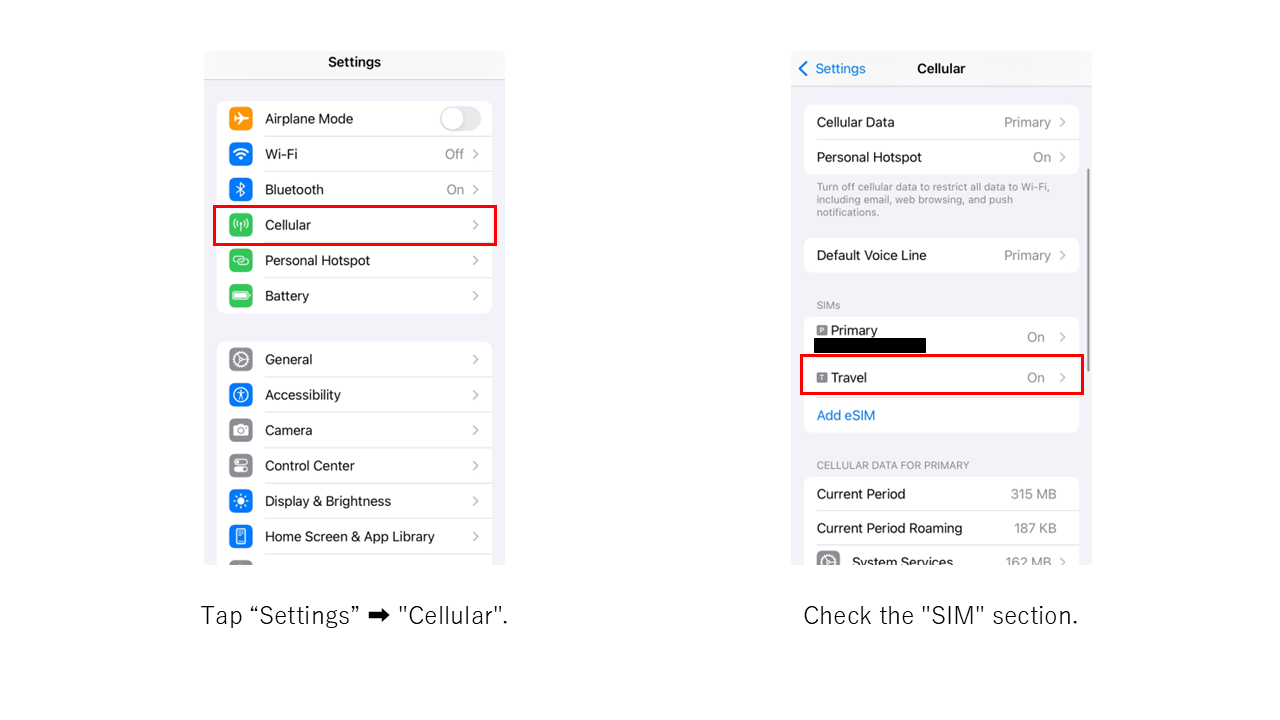
The eSIM names are displayed as follows:
【Primary】【Secondary】【Travel] 【Work】【Personal】
Please select the custom name you assigned yourself, or the name you previously set if you have already changed it.
We also recommend assigning a name to the eSIM, as doing so makes it easier to manage.
For instructions on how to configure the settings, please refer to the Q&A regarding eSIM name settings.
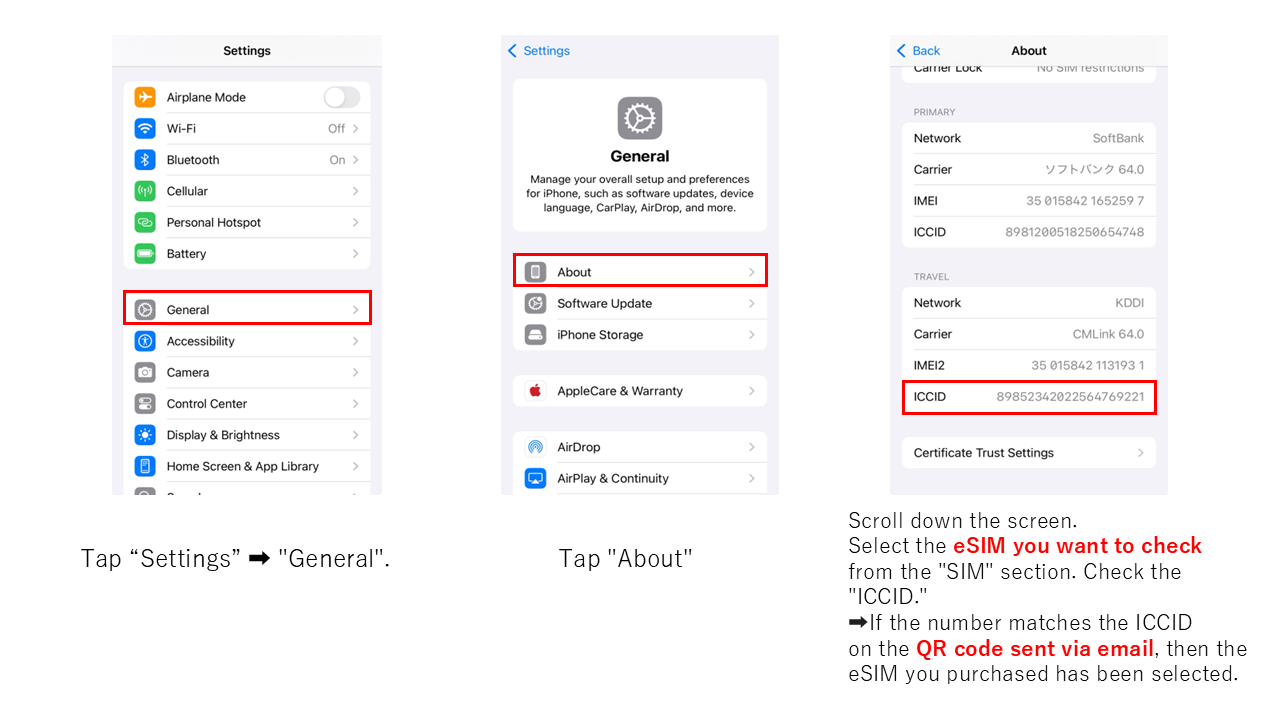
2: Check the ICCID (SIM identification number)
Please verify that it matches the ICCID listed with the eSIM QR code in the email you received at the time of purchase.
※The ICCID is a unique number assigned to each eSIM.
 Related FAQs

Browse by Topic

Before You Buy
What is an eSIM? What is activation?


Plans & Contracts
Carriers, tethering, and more

eSIM Setup & Connection
QR code scanning and APN setup

Connection Issues
No connection or slow speeds

Changes, Cancellations & More
Plan cancellations, options, and more
 About eSIM - Setup Support


 eSIM Setup

If this didn't resolve your issue
If you have questions or the existing FAQs didn't help, please contact us using the form below.

Contact Form
Available 24 hoursWe will reply within 3-4 business days