


[Android] Unable to connect to the Internet

- Try toggling Airplane Mode on and off (please try this slowly about five times, as it may not always switch on the first attempt). This forces the device to reconnect to the network, which may resolve temporary connectivity issues.
- Try turning your smartphone off and on again. This may resolve issues caused by temporary glitches or delays in establishing a network connection.
3. Check if data roaming is enabled for your eSIM.
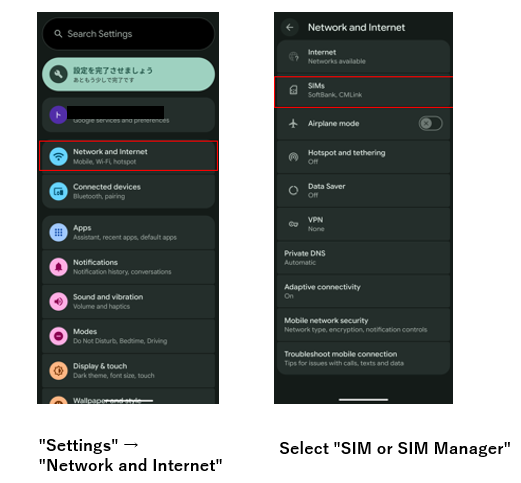
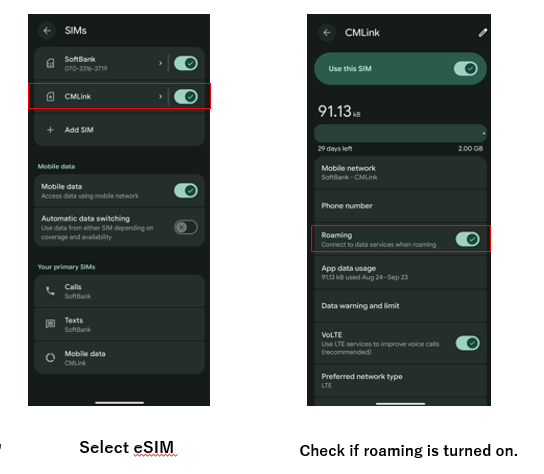
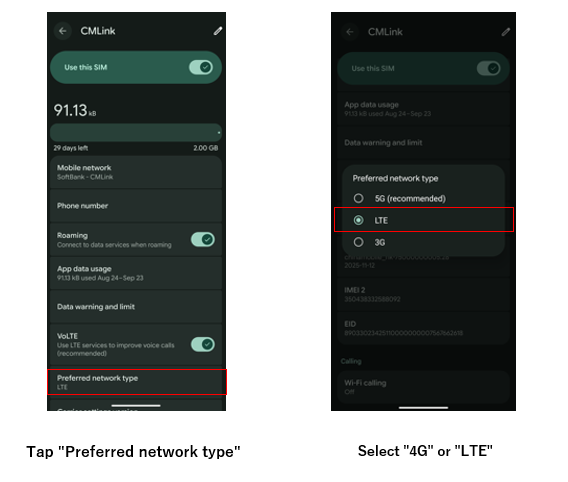
4. Please try connecting after switching both voice and data communication to 4G.
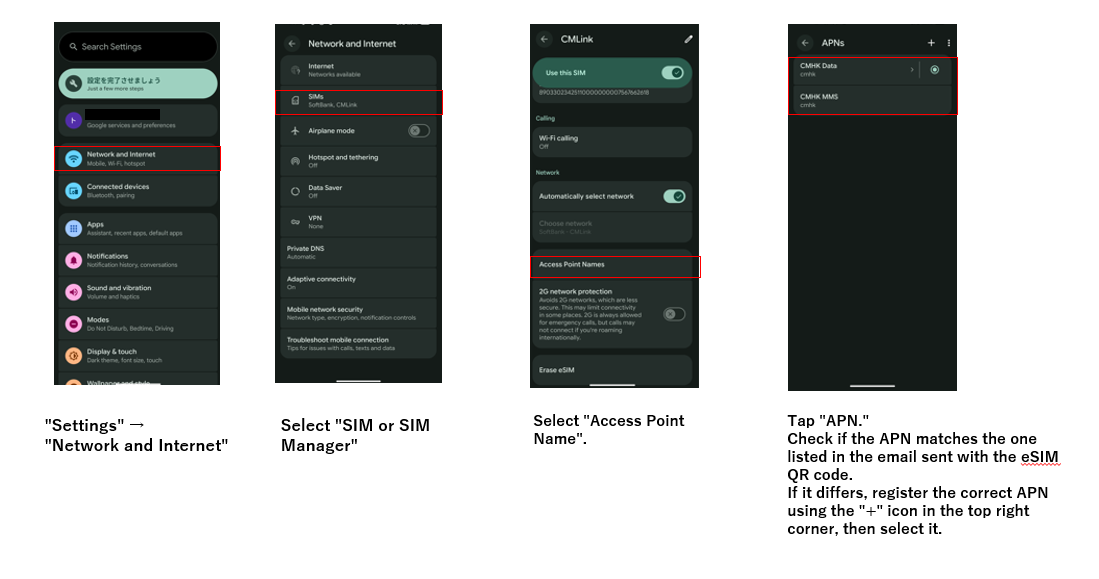
5. Check if the iPhone APN settings are configured.
 Related FAQs

Browse by Topic

Before You Buy
What is an eSIM? What is activation?


Plans & Contracts
Carriers, tethering, and more

eSIM Setup & Connection
QR code scanning and APN setup

Connection Issues
No connection or slow speeds

Changes, Cancellations & More
Plan cancellations, options, and more
 About eSIM - Setup Support


 eSIM Setup

If this didn't resolve your issue
If you have questions or the existing FAQs didn't help, please contact us using the form below.

Contact Form
Available 24 hoursWe will reply within 3-4 business days